Piloting: TanStack Query

This will be the first in what I'm hoping is a continuous series where I explore some tool, library or concept in a more casual way. Think of it as a very informal dive into the concept where I note down my thoughts and what I did testing, or "piloting", this concept for the first time.
Let's get into it.
Setup
Since the point of this library is to make queries to a server from your client and efficiently handle the response I decided to setup a simple http server using Bun to test out the library. It serves two routes /profile and /posts that return what you'd expect.
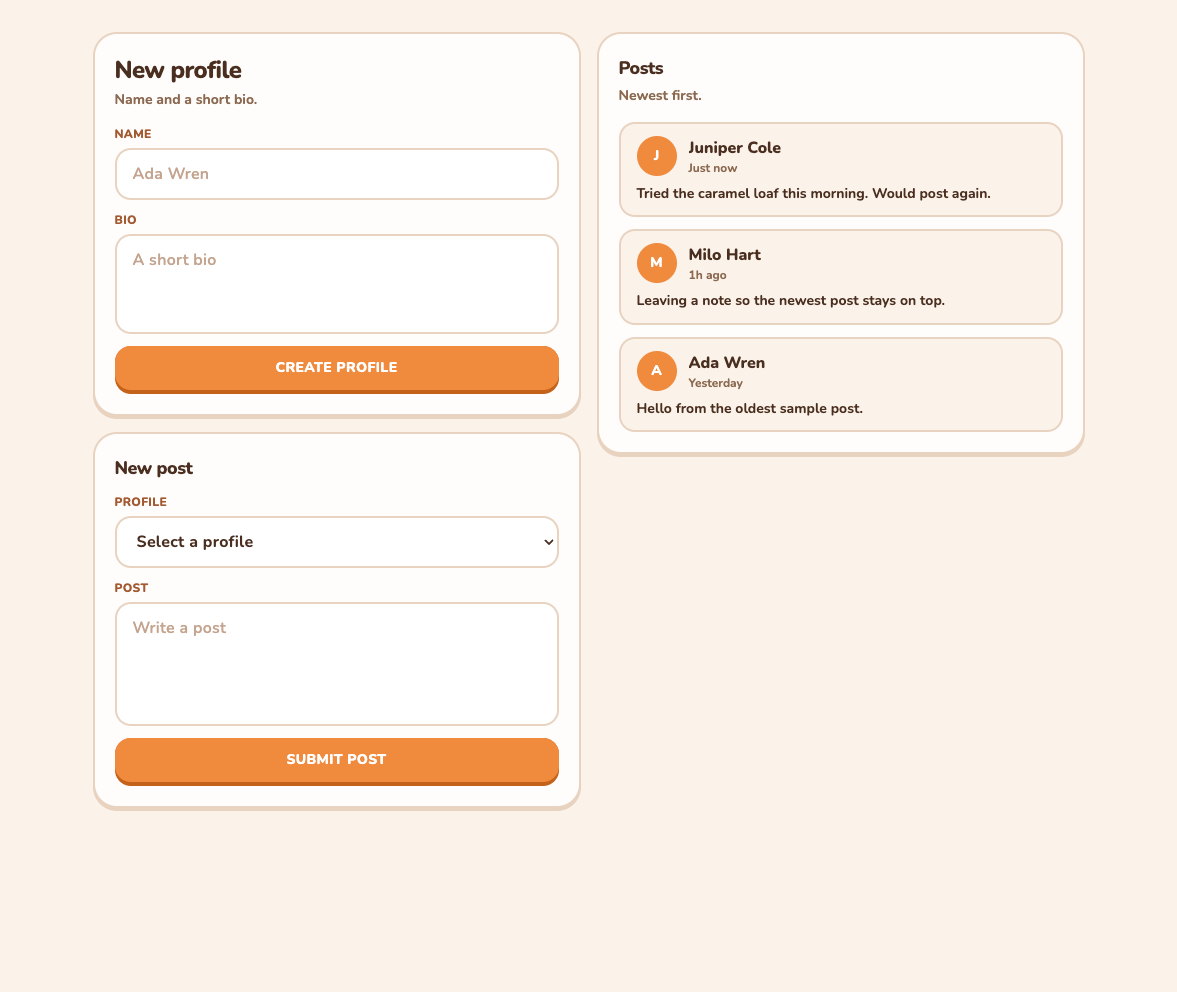
For the frontend side I've started a regular old React project with Vite and laid out some simple user interface to hit these endpoints with TanStack query soon enough. Of course the posts you see in the screenshot below are just placeholders for now but up next we'll be actually querying the backend for our posts.

Implementing TanStack Query
I believe the simplest part right now would be sending new profiles to the database. Since this is not a query but a mutation we'd use the useMutation hook. Here's a simple function to create the profiles.
const createProfile = useMutation({
  mutationFn: async (profile: {
    name: string;
    bio: string;
  }) => {
    const response = await fetch('/profile', {
      method: 'POST',
      headers: { 'Content-Type': 'applicatio/json' },
      body: JSON.stringify(profile),
    })
    if (!response.ok) throw new Error('Failed to create propfile')
    return response.json() as Promise<Profile>
  },
  onSuccess: () => {
    queryClient.invalidateQueries({ queryKey: ['profiles'] })
  },
});
Super simple right? Well reading the profiles is just as easy!
const profilesQuery = useQuery({
    queryKey: ['profiles'],
    queryFn: async () => {
      const response = await fetch('/profile')
      if (!response.ok) throw new Error('Failed to load profiles')
      return response.json() as Promise<Profile[]>
    },
  });
Now wait a second, you might be thinking, this just looks like a fetch() with extra steps! Well that's half of it! The beauty is in how you read the data! We want our profiles that we just queried to show up in our selection dropdown on the "New post" segment of our app. As such we write that part like so:
<option value="" disabled>
    {profilesQuery.isPending ? 'Loading profiles' : 'Select a profile'}
</option>
{profilesQuery.data?.map((profile) => (
    <option key={profile.id} value={profile.id}>
        {profile.name}
    </option>
))}
As you can see TanStack query helps us know if the request is still pending quite easily! Not only that it makes accessing the data in the query equally as elegant!
Naturally creating and reading the posts is very similar to how we made the profiles.
const createPost = useMutation({
    mutationFn: async (post: { profileId: number; text: string }) => {
      const response = await fetch('/posts', {
        method: 'POST',
        headers: { 'Content-Type': 'application/json' },
        body: JSON.stringify(post),
      })
      if (!response.ok) throw new Error('Failed to create post')
      return response.json()
    },
    onSuccess: () => {
      queryClient.invalidateQueries({ queryKey: ['posts'] })
    },
  });
const postsQuery = useQuery({
queryKey: ['posts'],
queryFn: async () => {
const response = await fetch('/posts')
if (!response.ok) throw new Error('Failed to load posts')
return response.json() as Promise<Post[]>
},
});Now if we did this without TanStack query and just used what we have with React and good 'ol fetch() then we'd have to handle loading, caching and refreshing the lists for profiles and posts ourselves with multiple useEffect and useState. It essentially does a lot of the heavy lifting for you without you even realizing. Honestly the best way I can describe the magical useQuery is that this is how I thought fetch worked before I knew better.

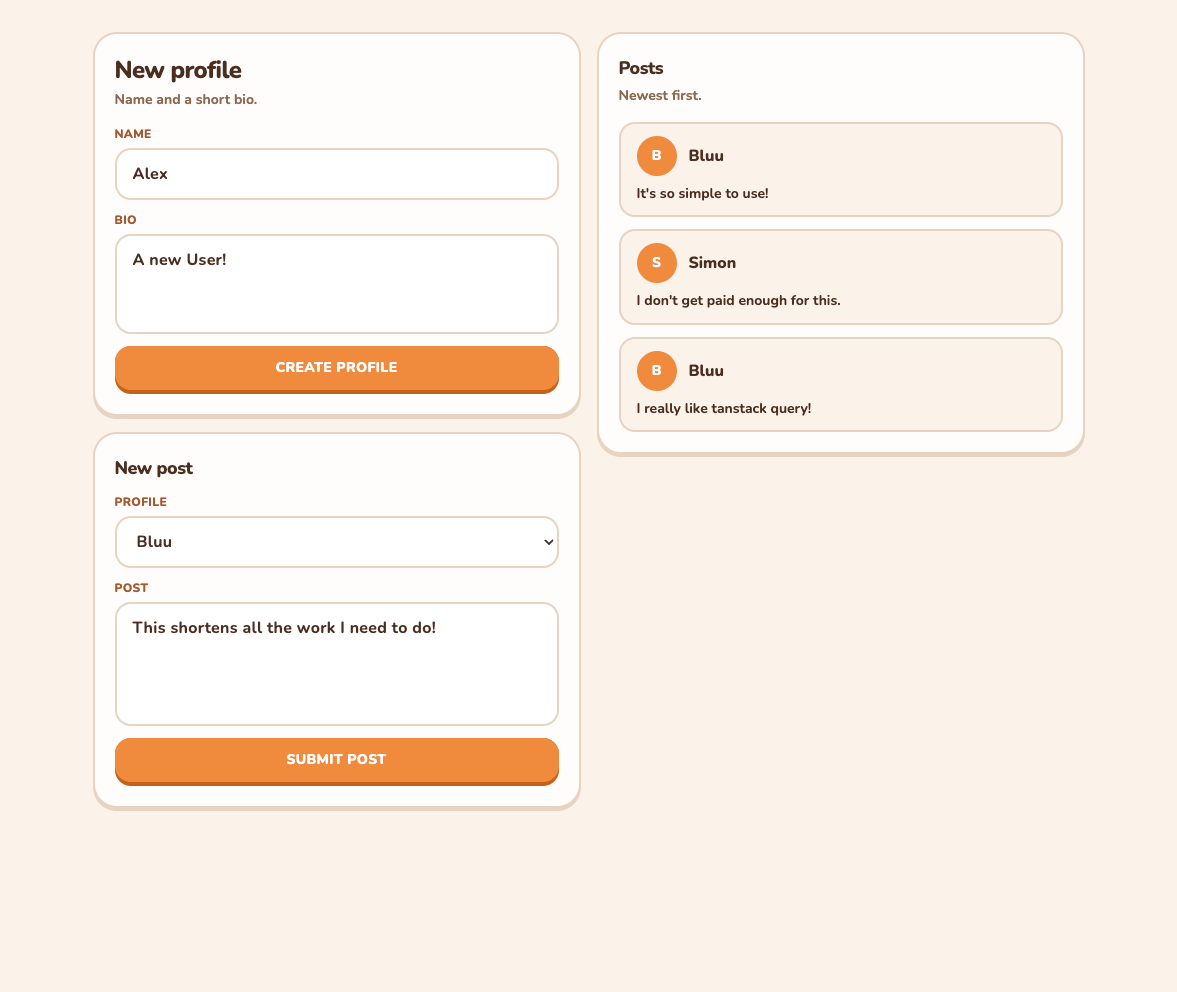
As a little bonus I found out that it's really easy to save this data you are querying into the localStorage of your browser in case you want to save it through reloads or sessions! You just have to wrap your app in a PersistQueryClientProvider instead of a regular query provider and TanStack Query takes care of the rest!
const queryClient = new QueryClient({
  defaultOptions: {
    queries: {
      gcTime: day, // 'day' is a constant I made. Omitted for brevity.
    },
  },
})

const persister = createSyncStoragePersister({
  storage: window.localStorage,
})

createRoot(document.getElementById('root')!).render(
  <StrictMode>
    <PersistQueryClientProvider
      client={queryClient}
      persistOptions={{ persister, maxAge: day }}
    >
      <App />
    </PersistQueryClientProvider>
  </StrictMode>,
)
This is probably just scratching the surface of what TanStack Query allows you to do but that is all the time I set aside today to play around with it!